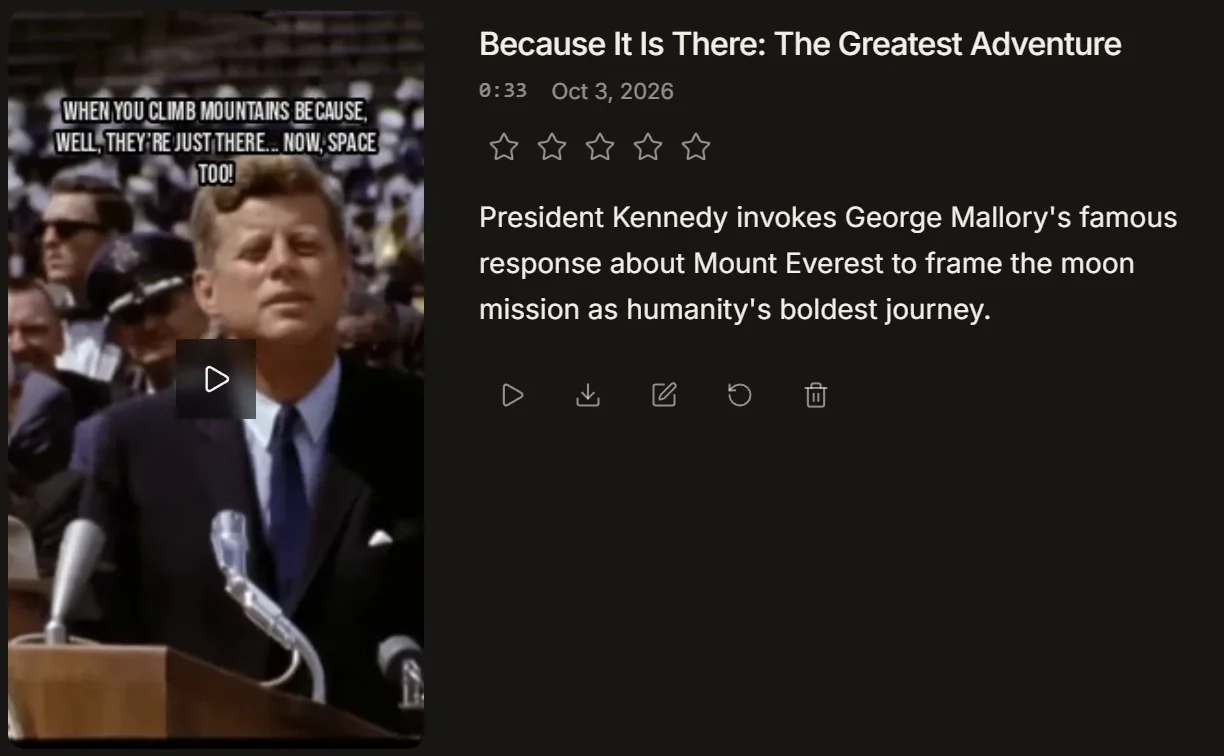
Clipping is a volume game. Every good moment you post is another shot at the feed. The slow part was never posting. It was scrubbing through a two-hour VOD to find the thirty seconds worth keeping. IMABIRD does the scrubbing. Drop in a stream, a podcast or any long video and get up to ten vertical clips back. Each one is captioned, reframed and scored. Your time goes on the part that needs taste.
From VOD to a stack of clips.
Up to 10 per run
01
Drop in the source
Paste a YouTube link or a Twitch VOD. Pull a file from Google Drive or Dropbox, or upload it from your machine. Connect Twitch and you can pick from your latest VODs without copying a link.
02
Set the shape once
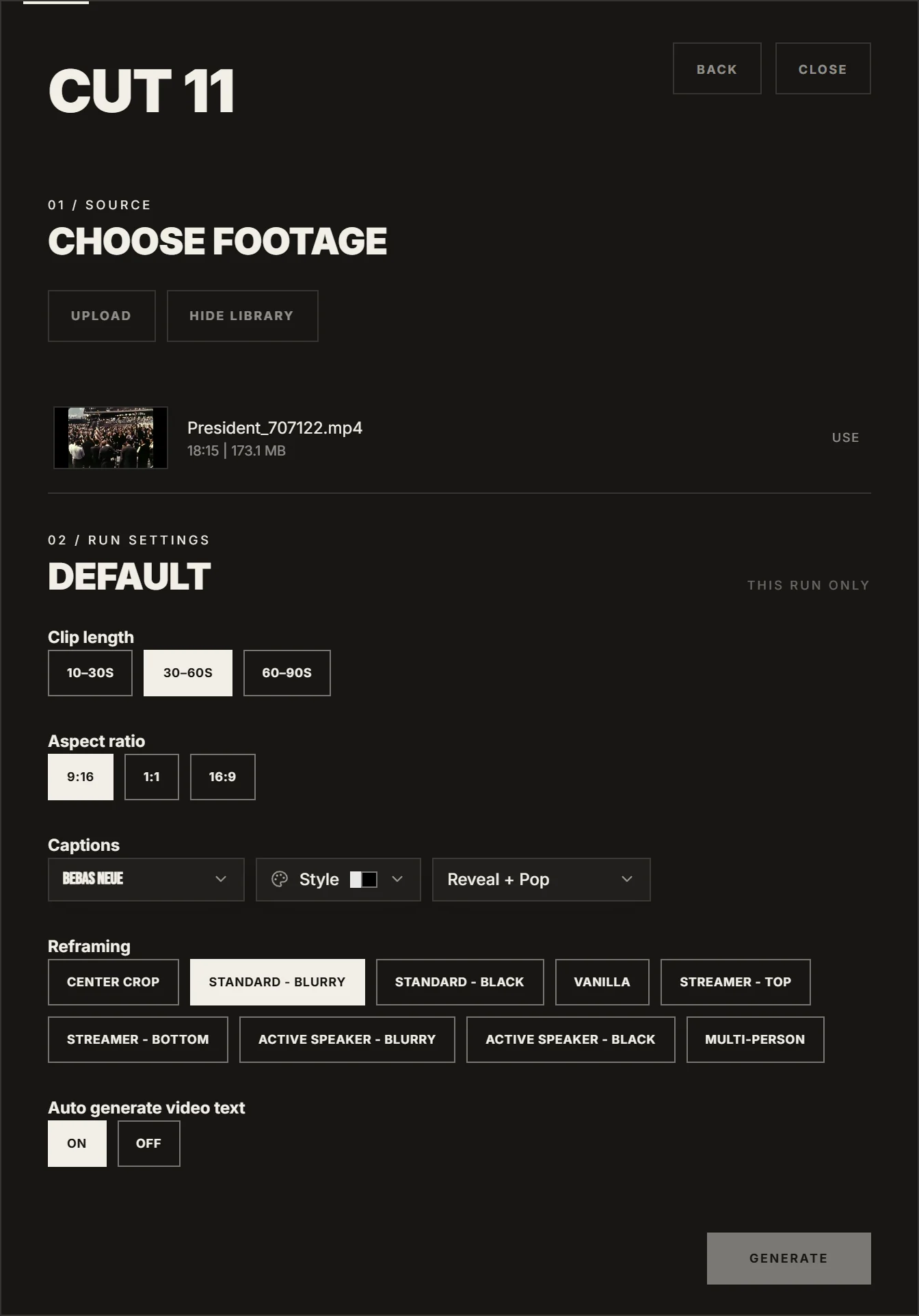
Pick the length: 10 to 30 seconds, 30 to 60, or 60 to 90. Pick 9:16, 1:1 or 16:9. Choose a caption look and a reframing layout, including Streamer layouts that stack the facecam and the gameplay. Save it as a preset and every run starts there.
03
Let it find the moments
IMABIRD watches the whole video and pulls out the moments that stand on their own. A setup and its payoff. A reaction. A story with an ending. Each one comes back as its own clip with an AI score, so you know which to watch first.
04
Polish and post
Open any clip in the timeline. Trim the intro, extend the payoff, fix a caption. Export at up to 1080p, or 4K on Pro and Studio, with no watermark on any plan. Post it yourself or line it up in the publishing calendar.
Every clip arrives with a reason.
A clip comes back with a title, a length and one line on why it was picked. That line saves more time than it looks. You can read ten reasons in the time it takes to watch one clip. You know straight away which moment is the payoff and which is filler. Rate the ones that land. Open the ones that need a trim. Bin the rest without a second thought.
What a clipper sets once
Clip length: 10 to 30 seconds, 30 to 60, or 60 to 90
Aspect ratio: 9:16 for TikTok, Shorts and Reels, or 1:1 and 16:9
Reframing layouts, including Streamer, Active Speaker and Multi-Person
Captions: twenty fonts and more than a dozen word-by-word animations
An optional AI text line on top of every clip
What makes a clip worth posting
The first second does the work. Nobody owes your clip a second chance. A clip that opens on a breath, a "so anyway" or half a thought is already losing. Start on the line, the reaction or the moment the energy turns. If the payoff needs ten seconds of setup, cut the setup to three. Viewers fill in the gaps faster than you think.
Volume wins, up to a point. One great clip a week will not feed an account. Ten weak ones will not either. The sweet spot is a steady run of clips that each have one clear reason to exist. That is what a scored batch is for. It hands you a ranked shortlist instead of a blank timeline.
Captions are part of the hit. Words landing on the beat of the voice hold the eye and keep the pace up. Big, few and on time beats a full sentence parked at the bottom of the frame. Pick a look that fits the channel and keep it. Then the clips read as one account, not a pile of uploads.
Streams need their own framing. A gameplay clip with a facecam in the corner does not survive a plain centre crop. You lose the game or you lose the face. A stacked layout puts the face on top and the action underneath, so both make it to vertical. Podcasts are the opposite problem: two or three people in one wide shot. They want a different layout altogether.
Clip what you are allowed to clip. Use footage you own or have permission to post, and follow the rules of any clipping campaign you join. The tool makes clips fast. It does not make them yours.
Questions.
Which links can I paste?
YouTube videos, Twitch VODs, Google Drive and Dropbox links. You can also upload a file. Live streams need to end first, because IMABIRD clips recorded video.
How many clips do I get from one video?
Up to ten per run. IMABIRD only returns moments that hold up on their own, so a short or quiet source can come back with fewer.
Is there a watermark?
No. Exports carry no IMABIRD watermark on any plan, the free one included.
Does it handle a facecam over gameplay?
Yes. The Streamer layouts find the facecam and stack it above or below the action. You can still move the framing on any clip in the camera view.
How long can the source be?
At least three minutes. The longest source you can use depends on your plan.
Can I try it for free?
Yes. The free plan needs no card, and captions and reframing are included.