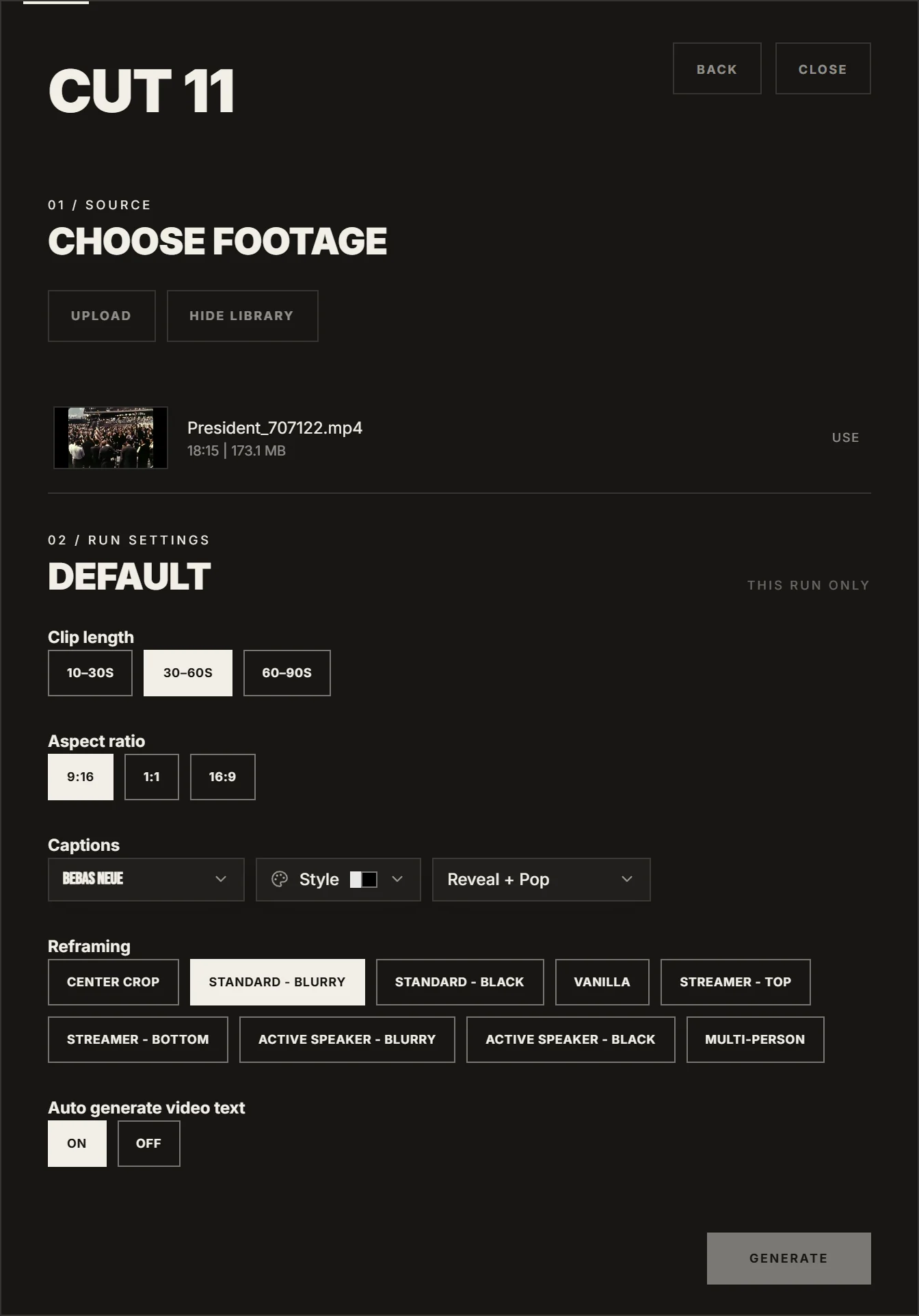
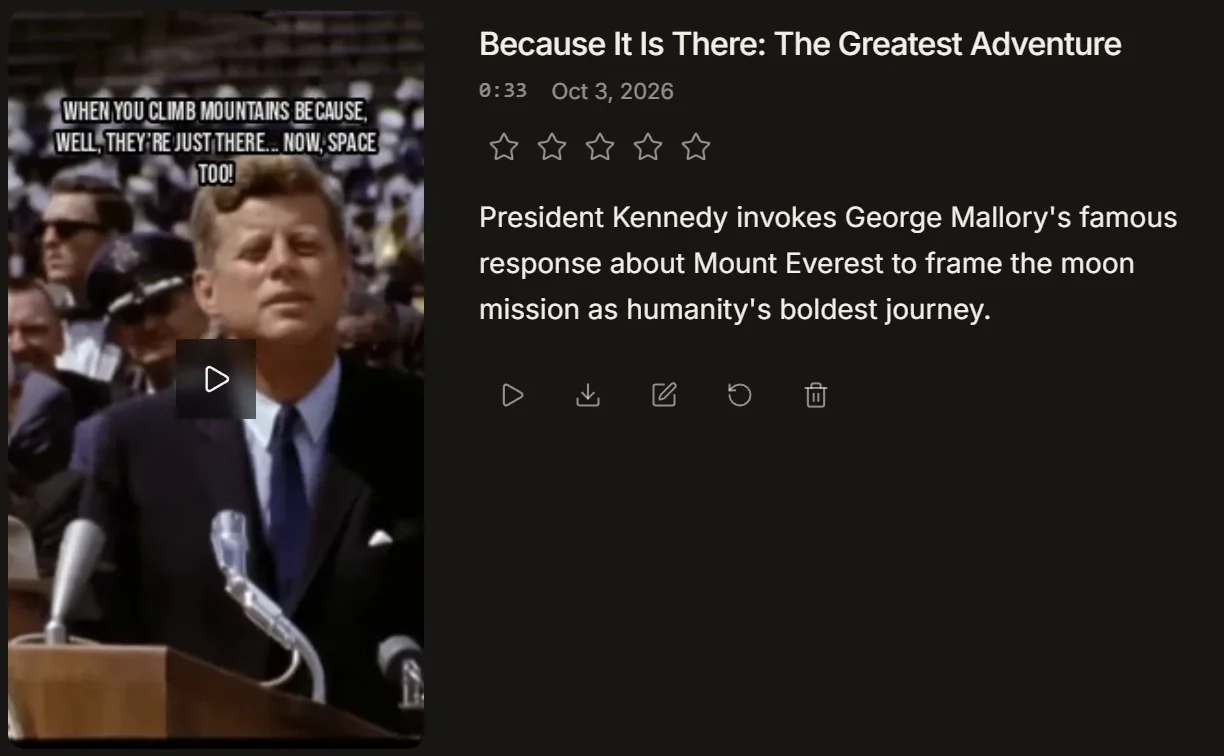
Klap and IMABIRD start the same way: a long video goes in and short vertical clips come out. The difference is how the work is counted and where it ends. IMABIRD plans count runs, not clips, so a run that returns twenty clips uses the same allowance as one that returns five, however many you keep. And every clip lands on a full timeline, where you can trim it by hand or ask the agent to change it for you.
Same video, both tools.
Up to 28 clips a run
01
Start a run
Paste a YouTube link, a Twitch VOD, or a Google Drive or Dropbox link, or upload the file. One run covers the whole video, however many clips it returns.
02
Set the batch once
Choose the clip length, the aspect ratio, a caption look and a reframing mode, then save them as a preset. Intelligent reframing reads each scene and frames a single speaker, a group, a webcam over gameplay or a shared screen differently.
03
Read the reasons first
Every clip comes back with a title, an AI score and one line on why it was picked. Skim the reasons, open the clips that sound right and drop the rest. The run is already counted, so dropping a clip costs nothing.
04
Finish on the timeline
Open a clip to trim it, move the crop, fix a caption or add text. Or tell the agent what to change and check the result. Export with no watermark or line the clip up in the publishing calendar.
Side by side.
IMABIRD
Klap
Watermark on free exports
No
No
Free use
One run every month, no card
One video to start, no card
Paid plans count
Runs, each returning up to 28 clips
Clips: 100, 300 or 1,000 a month
Links
YouTube, Twitch VODs, Google Drive, Dropbox
YouTube, Vimeo, Twitch, Google Drive
Klap details are from klap.app, its pricing page and its AI clip generator page, checked on 8 October 2026. Plans change, so check there before you decide.
One run. As many clips as the video holds.
A clip allowance makes the size of every batch part of the budget. IMABIRD counts the run instead. The video is watched once, every clip it finds is yours to keep or bin, and only the next video counts again. A long stream that yields twenty clips costs the same run as a short talk that yields five. That makes it cheap to be picky, and being picky is what makes an account worth following.
What one run gives you
Up to 10 clips from under half an hour, 20 from two hours and 28 from four
An AI score and a reason on every clip
Clip lengths from 10 seconds up to 90
A full timeline editor and an agent for every clip
How to compare two clippers fairly
Use one video for both, and pick one you know well. A stream you hosted or an episode you recorded works best, because you already know where the good moments are. Count how many of those each tool found, then count how many of the remaining clips you would actually post. A tool that finds your three best moments beats one that hands you thirty average ones.
Price the month you really have, not the plan headline. Work out how many long videos you clip in a month and how many clips each one produces. A run allowance is spent per video; a clip allowance is spent per clip, so long sources that return big batches use it up faster. If a plan counts clips, check whether it counts every clip generated or only the ones you export.
Time the last ten percent. Generating clips is fast in every tool. Fixing them is where the day goes: starting a clip two seconds earlier, correcting a name in the captions, moving the crop off the wrong person. Try each of those once in both tools. The one where they take seconds is the one you will still be using next month.
Check where your sources live. Klap takes Vimeo links, and IMABIRD does not yet. IMABIRD takes Dropbox links and Twitch VODs on every plan. If your footage sits somewhere neither tool reads, both take an uploaded file.
Questions.
Do clips I delete count against my plan?
No. Plans count runs, not clips. A run counts once however many clips it returns, though a source over three hours counts as more than one. Failed or cancelled runs do not count at all.
Can I paste a Vimeo link?
Not yet. Download the video and upload the file, or put it in Google Drive or Dropbox and paste that link.
Can I change more than the captions and the crop?
Yes. Every clip opens on a full timeline with tracks for video, audio, text and captions. You can trim, rearrange, add text or bring in other footage.
Why was a clip picked?
Each clip shows one line from the moment finder on why it was chosen, next to its AI score. It is the fastest way to decide which clips to open first.
Can the agent fix a clip for me?
Yes. Ask it in plain language to tighten the opening, rebuild the captions or move the crop. It edits the real timeline in checkpointed batches, so you can undo anything it did.