Most of a webinar is setup: introductions, housekeeping, waiting for people to join. The value sits in a handful of moments. A clear answer to a hard question. A demo that works. The one slide everybody screenshotted. IMABIRD finds those moments in the recording and turns each into a captioned clip. Speakers are framed as people and slides are kept whole, so the clip still makes sense on a phone.
From recording to clips people watch.
Slides + speakers
01
Bring in the recording
Upload the file your meeting tool saved, or put it in Google Drive or Dropbox and paste the link. If the webinar went out on YouTube, paste that link instead.
02
Choose the shape
Pick 9:16 for Shorts, Reels and TikTok, or keep 1:1 or 16:9 for LinkedIn and your own site. Answers and explanations usually want the longer clip lengths: 30 to 60 seconds, or 60 to 90.
03
Let it find the answers
IMABIRD watches the whole recording and keeps the moments that stand alone: a question and its answer, a demo from start to result, an explanation that does not lean on the previous twenty minutes.
04
Check the slides and names
Open the camera view to confirm each slide made it into the frame whole. Then read the captions for product names, company names and speaker names, the words a transcript most often gets wrong.
A slide is not a face.
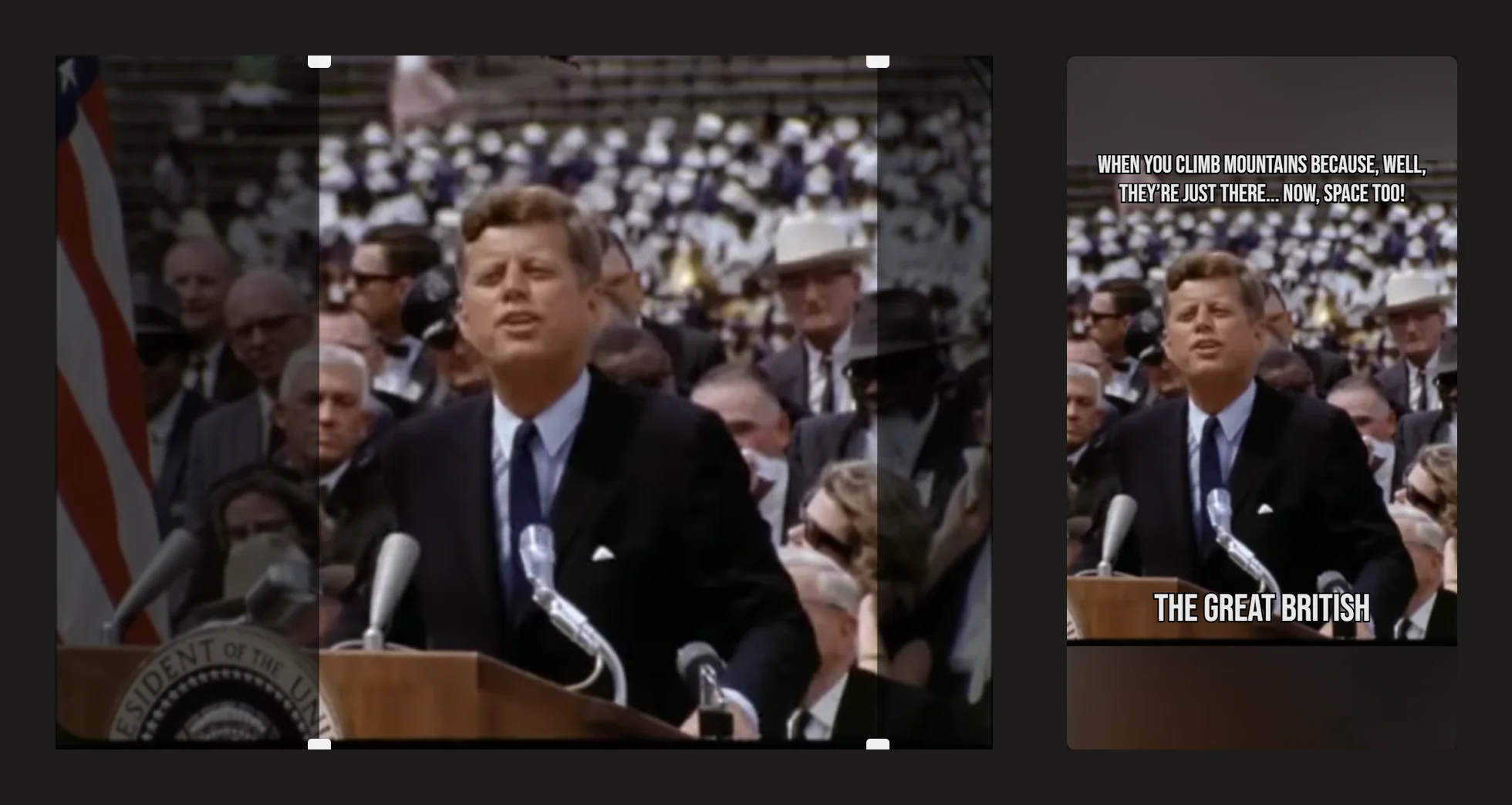
A plain vertical crop treats every frame the same way: find the middle and cut the rest. That is fine for a speaker and ruinous for a slide, which loses its title, its chart and half its words. Intelligent reframing looks at each scene first. A speaker gets framed as a person, a panel as a group, and a shared screen with slides, code or a chart is kept whole so the text stays in the picture.
Worth setting for every webinar
Intelligent reframing for scenes that switch between speakers and slides
Longer clip lengths for answers and explanations
A caption style that matches your brand, saved as a preset
9:16 for short-form feeds, 1:1 or 16:9 for LinkedIn and your site
What makes a webinar clip worth posting
Clip the answers, not the agenda. The planned talk is often the weakest material because it is built to be followed in order. The Q&A is where people ask what they actually wanted to know, and a good answer to a real question is a self-contained clip by design. Start on the question, so a stranger knows what is being answered.
A slide on a phone is small. Even kept whole, a dense slide in a vertical frame is hard to read. The slides that make good clips are the ones with one chart, one number or one sentence. If a moment depends on a slide full of bullet points, let the speaker carry it and treat the slide as background.
Record the speaker on their own if you can. A recording where the shared screen fills the frame and the speaker is a thumbnail in the corner gives any reframing tool little to work with. If your meeting tool can save the active speaker as a separate recording, keep that file. It makes better clips than the screen recording alone.
Webinar clips do a different job from entertainment clips. They are proof that the session was worth attending. A clip that shows a speaker solving a real problem does more for next month's registrations than a highlight reel, and it keeps working long after the live date.
Questions.
Can I paste a Zoom recording link?
Not yet. Download the recording and upload it, or put it in Google Drive or Dropbox and paste that link.
What happens to the slides when the clip goes vertical?
Intelligent reframing recognises a shared screen and keeps the whole slide in the frame instead of cropping out the middle. You can change the framing of any shot in the camera view.
Does it work with a panel of several speakers?
Yes. Scenes with several people are framed as a group, and the camera view lets you follow one speaker by hand when a moment belongs to them.
Can I keep the clips horizontal for LinkedIn?
Yes. Aspect ratio is part of the preset, so you can make 1:1 or 16:9 clips from the same recording instead of 9:16.
Is there a length limit for a recording?
A recording needs to be at least three minutes long. The longest recording you can use depends on your plan.