Descript is built around editing a whole recording: cut the transcript and the video follows. Clips are one feature among many. IMABIRD starts from the other end. Its main job is turning a long video into a batch of captioned vertical clips, and the timeline editor and agent are there to finish them. If short-form is most of what you make, start with the tool built around it.
From finished episode to a batch of clips.
No watermark
01
Bring the finished recording
Keep editing the full episode wherever you edit it now. When it is done, upload the export or paste a Google Drive, Dropbox or YouTube link.
02
Let the whole thing run
IMABIRD watches the full video and returns moments that work on their own, at the length you chose: 10 to 30 seconds, 30 to 60, or 60 to 90. A two-hour recording gives up to twenty.
03
Check the vertical crop
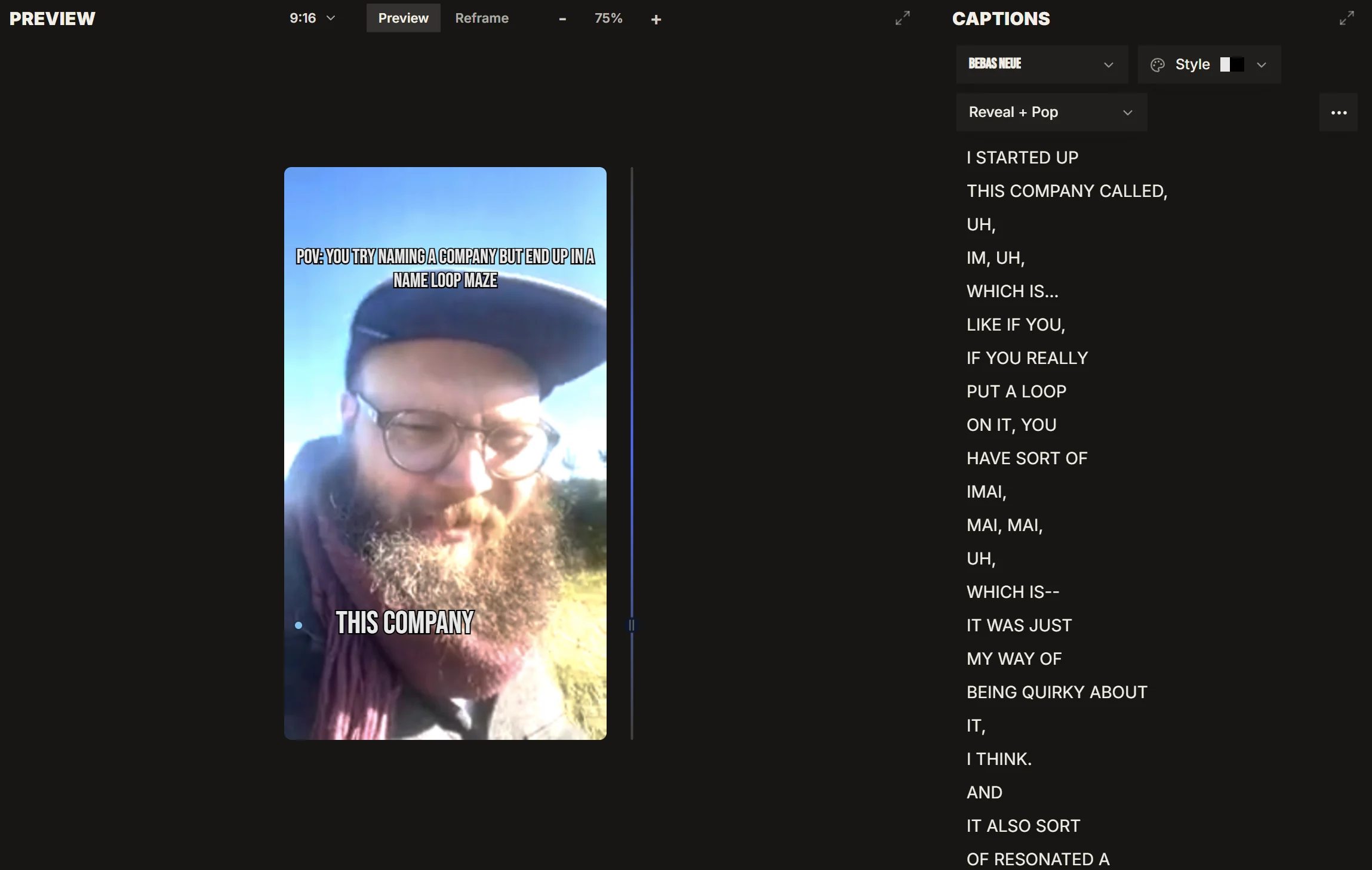
Each clip comes back reframed and captioned. Intelligent reframing handles a single speaker, two people in a wide shot and a shared screen differently, and the camera view shows the source beside the crop.
04
Finish and export
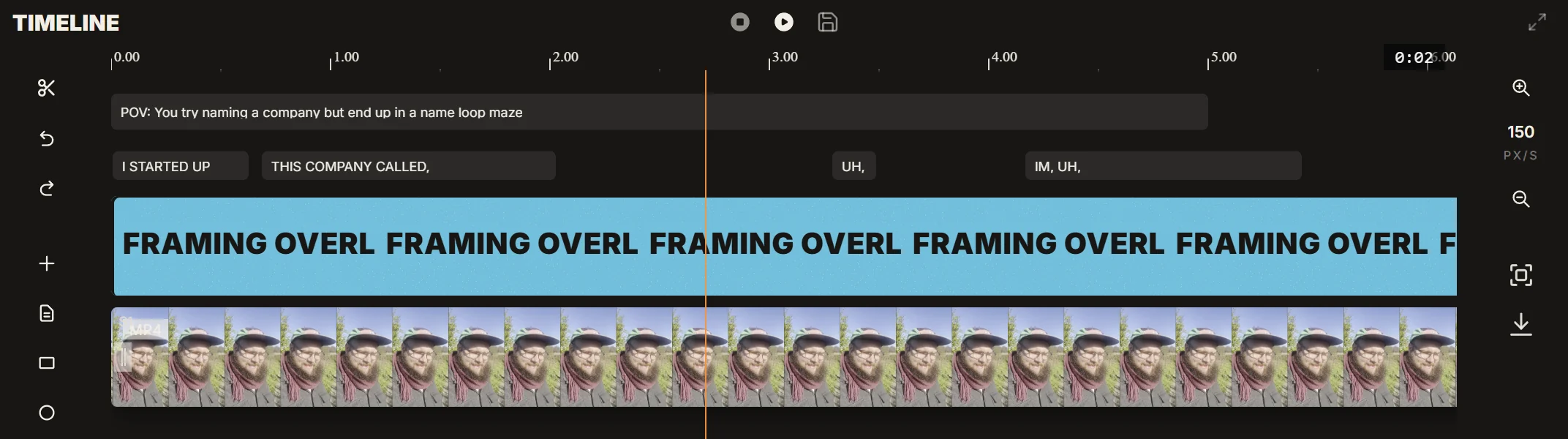
Trim on the timeline, fix a caption word or ask the agent for the change. Export at 1080p on every plan, or 4K on Pro and Studio, with no watermark, or schedule the clip straight from the publishing calendar.
Side by side.
IMABIRD
Descript
Watermark on free exports
No
Yes
Free export resolution
1080p
720p
Paid plans priced
Per account
Per person
AI agent that edits for you
Yes, in beta
Yes, Underlord
Descript details are from descript.com/pricing, checked on 8 October 2026. Plans change, so check there before you decide.
Every clip is a real edit.
A generated clip is a starting point, not a render. It arrives as clips, captions and text on a timeline, the same timeline you would have built by hand. Start it two seconds earlier, swap a caption word, move the crop on one shot or ask the agent to tighten the opening. Nothing has to be regenerated to change one detail.
Built for the short-form job
Up to 28 clips from one long video, each with an AI score
Reframing layouts for speakers, groups, streams and shared screens
Caption presets with word-by-word animations
9:16, 1:1 and 16:9 from the same source
One editor or two
Editing a full episode and cutting short clips are different jobs. The long edit is about pacing over an hour: removing the false starts, levelling the audio, keeping the conversation flowing. Clipping is about finding thirty seconds that make sense to a stranger, then making them land in a vertical frame with captions that hit on the beat. A tool can do both, but it is usually designed around one.
If short-form is a side output of your show, one editor that does a bit of everything may be enough. If clips are how most people find you, it pays to look at how much of the clipping is done for you. Count how many clips one run returns, how long it takes to fix a crop that followed the wrong person, and whether the clip is still editable after it is generated.
You do not have to choose one tool for everything. Plenty of shows edit the full episode in one place and clip it in another. The handoff is a single export: the finished episode goes in, a batch of clips comes out, and the long edit stays exactly where it was.
Look at what the free plan leaves on the video. A watermark or a lower export resolution is a fair way to sell an upgrade, but it means the free plan is only a trial run. IMABIRD exports free clips at 1080p with nothing stamped on them, so a clip made on the free plan can be posted.
Questions.
Can I edit by deleting words from the transcript?
Not in the same way. In IMABIRD you trim on the timeline, correct caption words directly, or ask the agent in plain language to remove a section.
Do I have to move my whole edit over?
No. Finish the full episode wherever you edit it now, then upload the export or paste a link to it. IMABIRD only needs the finished video.
What resolution can I export on the free plan?
Up to 1080p, with no watermark. Pro and Studio add 4K export.
Are plans priced per seat?
No. A plan belongs to one account, and its runs and credits are shared by everything that account does.
Is there an API?
Yes. The developer API starts the same clipping runs from your own product or automation, so a published episode can turn into clips without anyone opening the app.