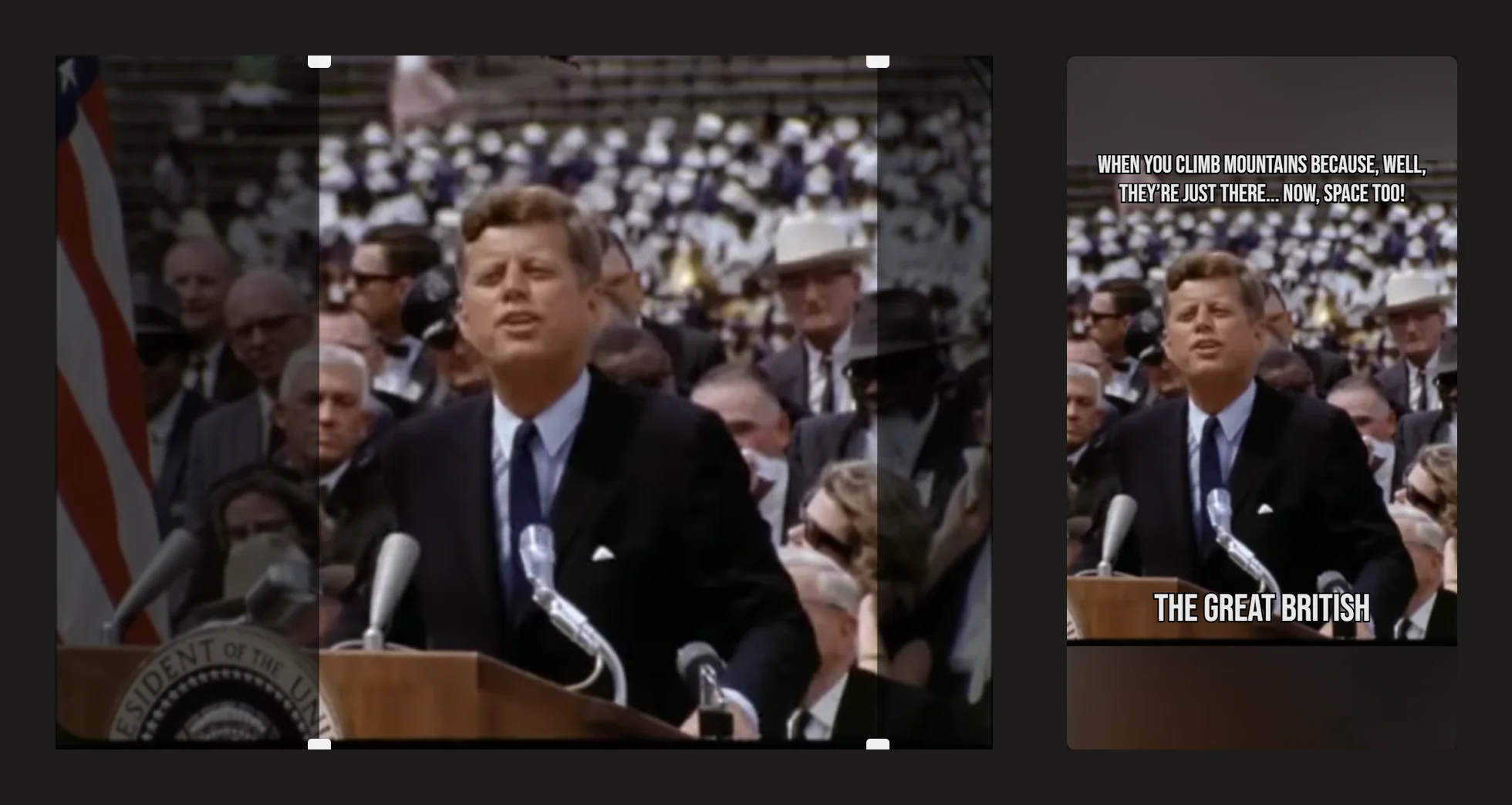
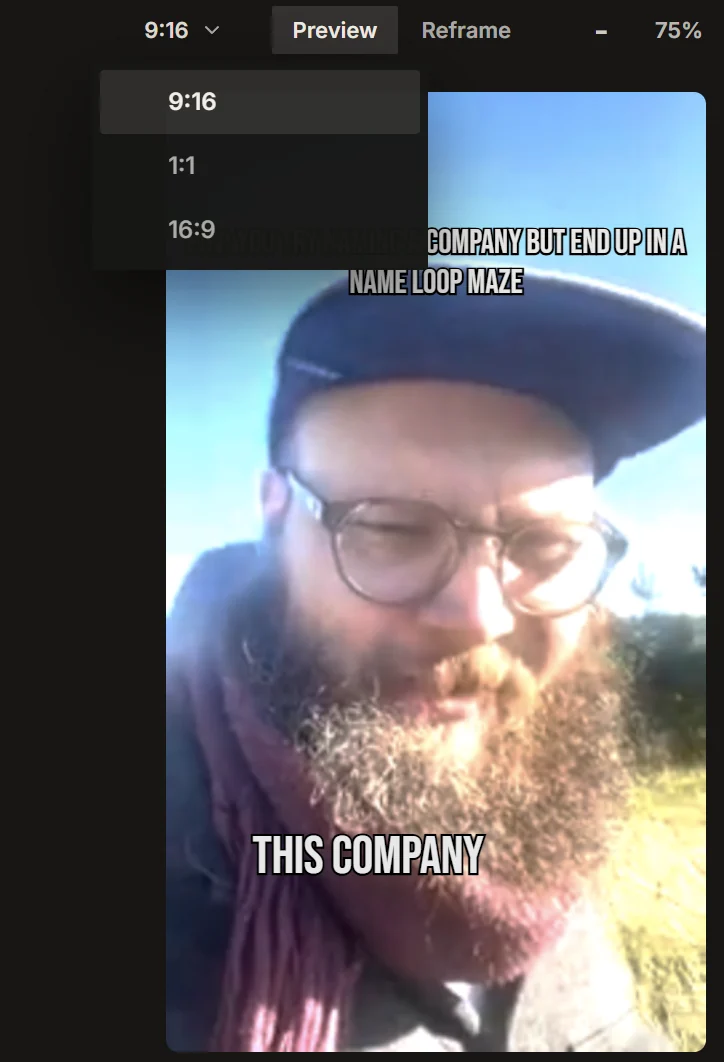
IMABIRD reframes horizontal 16:9 video to vertical 9:16 automatically, following the action in each shot, and shows the source beside the crop so you can fix any shot by hand.
Going from 16:9 to 9:16 is not just changing the dimensions of the file. Most of the original width has to disappear, which means the edit has to decide what stays visible on every shot. IMABIRD makes that first framing pass automatically, then shows you the source beside the result so you can correct the difficult shots instead of rebuilding the crop from scratch.
Let the crop follow the footage.
16:9 to 9:16
01
Choose the target frame
Aspect ratio and reframing mode live in the cut preset, so the destination format is decided before the clips are generated rather than added as a last-minute export setting.
02
Let IMABIRD make the first pass
The reframing pass follows what is happening inside the shot instead of applying the same centre crop everywhere. That handles the straightforward shots automatically and leaves you with a much smaller set worth checking.
03
Compare source and output
Open the camera view to see the full horizontal frame beside the vertical result. The comparison makes it obvious when a second person, a chart, a hand gesture or important on-screen text has been cut away.
04
Adjust only the difficult shots
Move the framing where the automatic result chose the wrong area and leave the rest alone. You can correct individual shots without regenerating the entire clip.
The mistake is often outside the vertical frame.
A bad crop can look completely acceptable if you only watch the vertical output. The subject is visible, the image is sharp and nothing appears obviously broken. The problem becomes clear when you compare it with the original and notice the second person, the slide title, the product or the hand movement that disappeared. Source and output side by side turns reframing from guesswork into a quick visual check.
What you control
Aspect ratio for the platform or placement you are targeting
Reframing mode for how the crop follows people and action through a shot
Framing per shot, adjustable by hand in the camera view
Layout when a single crop cannot reasonably contain everything that matters
Where automatic reframing needs judgement
Two people at opposite sides of a wide shot are the obvious hard case. A single vertical crop may not be able to hold both of them at once, so the right answer depends on the moment: follow the active speaker, hold a wider composition or use a layout that gives both people space. That is an editorial choice rather than a tracking problem.
Screen recordings, slides and demonstrations create a different problem. A face has a clear centre of attention; a spreadsheet does not. The useful information may live in a corner of the source frame, and that location can change from shot to shot. Those sections are usually faster to place manually after the automatic pass has handled the rest.
Existing on-screen text is another thing to check. Lower thirds, presentation labels, logos and text already burned into the 16:9 source often sit near the edges because they were designed for a wide frame. Those are exactly the parts a vertical crop removes first.
Finally, the exported frame is not the same as the visible frame inside a social feed. Platforms cover part of the video with usernames, descriptions, buttons and progress controls. Keeping faces, captions and important graphics comfortably inside the centre of the composition gives them a better chance of surviving the interface around the video.
Questions.
Can I reframe to something other than 9:16?
Yes. Aspect ratio is part of the cut preset, so you can choose a different target frame when the destination calls for it.
Does the crop move during the clip?
It can. Reframing mode controls how the crop behaves through a shot, and the camera view lets you review the result and make manual adjustments where needed.
Can I fix just one bad shot?
Yes. Framing can be adjusted per shot, so one poor crop does not force you to regenerate the rest of the clip.
Does it work on screen recordings?
Yes, although screen content is more likely to need manual placement because the important information may sit anywhere in the source rather than following a face.
Can I check the crop before exporting?
Yes. The editor can show the source against the output, which is the easiest way to see what the vertical frame removed.