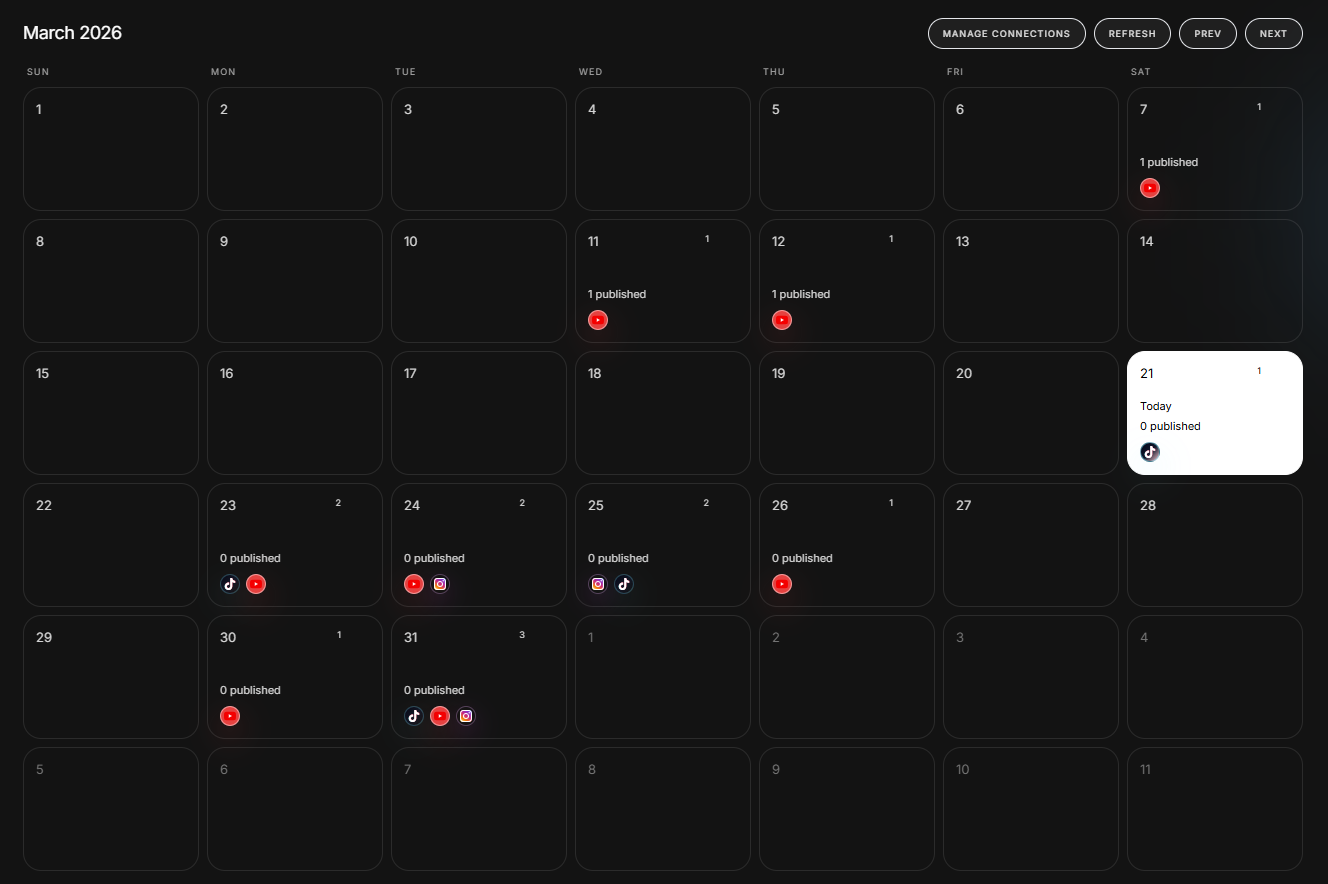
Editing and publishing ask for different kinds of attention. Editing is close work on the clip in front of you. Publishing is deciding what should go out, where it belongs and when the next few weeks should be filled. IMABIRD keeps the calendar beside the editor so you can finish the creative work first, then arrange the batch while everything is still fresh in your head.
From finished cut to a planned queue.
Calendar
01
Connect the accounts
Connect YouTube, Instagram and TikTok once from your profile. The destinations available to you depend on your plan, and you can still export manually whenever you do not want to publish through IMABIRD.
02
Choose a finished cut
Open publishing and select a cut that has finished rendering. Because the calendar lives inside the same product as the editor, the clips you just made are already there and ready to schedule.
03
Set the post details
Choose the destination, date, time and post caption. A batch of nine clips can be spread over several weeks in one sitting instead of becoming nine separate reminders to come back and post something later.
04
Or ask the agent to place it
Tell the agent which cut should go to which platform and when. It can prepare the export and create the scheduled post as one workflow, with your approval required before anything is written outside the editor.
A queue makes the plan visible.
A folder of exports tells you what you have made. A calendar tells you what is actually going out. Once the month is laid out, an empty week is obvious, three posts competing for the same day are obvious, and the same clip accidentally scheduled twice is obvious. Most of those problems can be fixed by moving something rather than going back into the editor to make more content.
Set per post
Destination: YouTube, Instagram or TikTok
Date and time, chosen per cut rather than for the whole batch
The post caption, separate from the captions rendered inside the video
Platform-specific details such as privacy, tags and subscriber notifications
Why scheduling belongs beside the editor
Editing and posting want different states of mind. Editing is close work on one clip: the cut, the captions, the timing, the frame. Posting is broader. It is deciding what should go out this week, what can wait until next week and how a batch fits across the month. Mixing those decisions into the edit means attention gets divided just when the creative work needs it most.
Keeping a queue separates the two jobs. Finish the clips first, then look at the batch as a whole. Once the month is visible, you can see where one week is overloaded, another is empty or two similar posts are sitting next to each other. Fixing the plan becomes a scheduling decision rather than another editing session.
The post caption is its own small piece of work. It sits beside the video rather than inside it, it can help the platform understand what the post is about, and the same clip may need different wording on YouTube, Instagram and TikTok. Writing those captions while the clips are still fresh in your head is usually much faster than reopening the video two weeks later and reconstructing what you wanted to say.
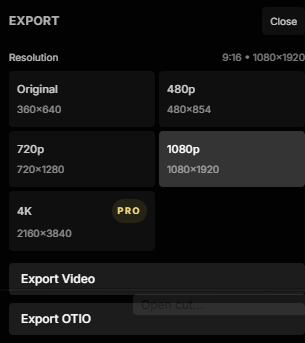
Scheduling is optional. Export the finished cut at whatever resolution you need and post it yourself if that is how you prefer to work. The calendar is for the other situation: you just made nine clips in one session and do not want publishing them to become nine more jobs spread across the next three weeks. Arrange the batch once, write the captions, book the slots and move on.
Questions.
Which platforms can I publish to?
YouTube, Instagram and TikTok. Connect the accounts from your profile; which destinations are available depends on your plan.
Can the agent schedule for me?
Yes. You can ask the agent to schedule a finished cut to a platform at a specific time. It can prepare the 1080p export from the original media and create the scheduled post in the same workflow, but it asks for your approval before the external action runs.
Do I have to schedule, or can I just export?
You can always export instead. Choose the output resolution, download the finished cut and post it manually wherever you want.
Is the post caption the same as the captions in the video?
No. The captions inside the frame are part of the edit. The post caption is the text that accompanies the upload on the platform and can be written separately for each scheduled post.
Can I change a post after queueing it?
Yes. Scheduled posts remain visible in the publishing calendar, and a pending post can be moved to a different slot.